What are you actually paying for when you buy a website?
A new website can cost a few hundred euros or a few thousand. But the price alone won’t tell you whether you’ll have an effective business tool once it’s launched.
Short answer
Not just for the number of pages, and not just for what you see on the screen. You’re paying for people to understand your business quickly, for a website that works properly on a phone and that search engines can find. And for what’s left after launch: knowing what’s happening on it, being able to change it and, if you ever need to, handing it over to someone else.
It’s easy to judge a website by what you can see: the design, the colours, the animations, the photos. But much of what you’re actually paying for stays invisible. Will Google find the website? Will you be able to change a price yourself? Will you know how many people visit it and where they come from? What happens if, a year from now, you want to work with a different developer?
So before comparing website prices, it’s worth understanding not just what a website costs, but what you get for your money.
Contents
- A beautiful website and an effective one aren’t the same thing
- What you can’t see is part of the website too
- Your website will change. Who will change it?
- What will the website cost a year from now?
- And what if, a year from now, you no longer want to work with the same person?
- The more a website does, the more trust matters
- Before you pay — open their previous work
- So what are you paying for in the end?
A beautiful website and an effective one aren’t the same thing
A website can be a work of art. Complex animations, unexpected navigation, 3D elements and striking transitions can be entirely justified when the main goal of the website is brand image or awareness.
For most businesses, though, a website has a far more practical job to do.
Visitors need to understand four things quickly:
Who are you? What do you offer? Why choose you? What do I do next?
 1234
1234- 1Who are you?
- 2What do you offer?
- 3Why choose you?
- 4What do I do next?
If a potential customer has to hunt for your services, guess what the company actually does or spend a few minutes looking for your contact details, beautiful design doesn’t solve the problem.
That’s why designing a business website isn’t only about how it looks. It’s also the information hierarchy, navigation, copy, buttons, forms, the mobile version and the whole journey from the first visit to an enquiry or a purchase.
Sometimes a simpler website does this job better than a more visually impressive one. Beautiful design can be the goal of a website. On a business website, it’s usually a means to an end.
And that’s the first thing worth understanding when you compare quotes: a more expensive website won’t necessarily be more effective for your business, and a cheaper one won’t necessarily be worse. What matters is who it’s built for and what problem it has to solve.
What you can’t see is part of the website too
Once a new website is live, it shouldn’t just look good when someone types in its address. It has to be technically ready to work.
One of the simplest examples is Google. If someone already knows the name of your company or brand and searches for it, your website should be understandable to the search engine and indexed.
That doesn’t take a big SEO campaign. But basic technical SEO should be sorted out while the website itself is being built: a clear page structure and URLs, proper titles and descriptions, a sitemap, indexing settings and the other technical pieces.
If the new website replaces an old one, there’s one more important job — the old addresses shouldn’t simply disappear. Redirects need to be set up so that visitors and Google don’t end up on pages that no longer exist.
The same goes for analytics.
A website owner should be able to see how many people visit the website, where they come from and what they do there. So tools like Google Analytics and Google Search Console aren’t something to remember six months later. It makes sense to set them up together with the website.
Google doesn’t know what your website cost. It sees how it was built.
So when you compare two quotes that both say “website development”, you may actually be comparing two quite different products.
Your website will change. Who will change it?
On launch day, everything on the website can be right.
A month later, a price changes. Three months later, a team member. Six months later, there’s a new service. A photo needs replacing, a new project needs adding, a piece of text needs fixing or another page needs to go up.
So before building a website, it’s worth thinking not only about launch day, but about what happens the day after.
If you want to change the information yourself, there has to be a simple, clear way to do it.
That doesn’t mean every website needs a big content management system with a hundred settings. If a business regularly needs to change only its services, prices, team members or projects, the admin can be built for exactly those things.
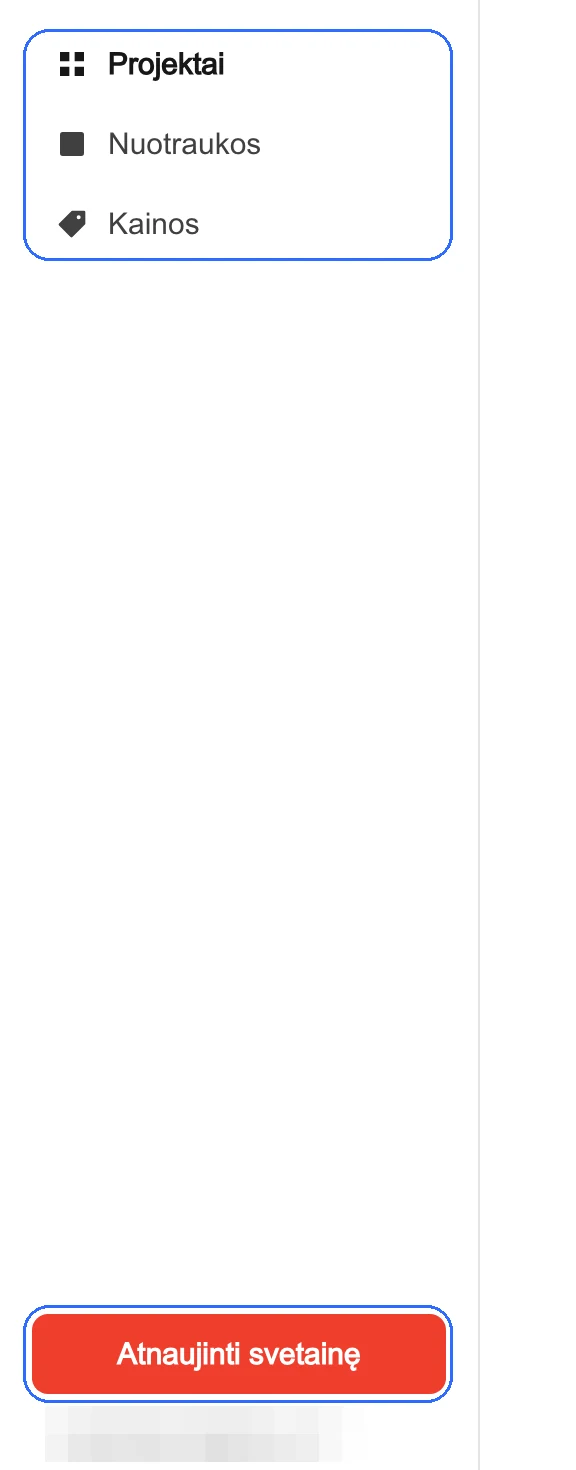
The other model is to leave changes to the person or team that maintains the website. In that case, it’s worth knowing before launch how much that maintenance will cost and how long you’ll wait for a simple change.
We use both. When a client wants to manage the website themselves, we build an admin for the content they’ll actually need to change. When a client doesn’t want to deal with it, we make the changes — on our maintenance plans, routine changes are done within 12–48 hours.
Neither model is better in itself. The problem starts when you only find out after the website has launched.
What will the website cost a year from now?
The initial price of a website isn’t its only price.
The domain, hosting, maintenance, extra changes, paid systems or their licences can all become ongoing costs.
So two quotes with the same price can look completely different a year later.
For example, one website may cost more at the start but later need only hosting. Another may look cheaper at first but only keep working as long as you pay a monthly fee for the platform, plugins or maintenance.
That’s not necessarily bad. For an e-commerce store, a complex system or a project that’s maintained continuously, recurring costs are normal.
What matters is knowing about them before you buy, not after.
So instead of just one question — “how much does a website cost?” — it’s worth asking a second one too:
What will it cost me a year from now?
And what if, a year from now, you no longer want to work with the same person?
It’s a question almost nobody asks before buying a website.
And that’s completely understandable — when we start a project, we don’t usually plan how we’ll end the working relationship.
But a lot can change in a few years. The developer may stop working. The agency may close. You may find another partner. The pace of working together, or the price, may simply stop suiting you.
That’s when it becomes clear how much control you really have over your website.
- Do you have the access you need?
- Can you take the project with you?
- Will another developer understand how it was built?
- Will you have to start from scratch just because the person maintaining it has changed?
We hand projects over with clean code and a clear structure, so the websites aren’t tied to us. Another developer can take them over.
Today there’s one more practical side to this. Coding tools like Claude Code or Codex can analyse a project’s entire codebase, explain its structure and help a developer make changes. But they, too, find it far easier to work with a properly structured project than with code that only its author understands.
Technology changes. Depending on one person shouldn’t be a feature of your website.
The more a website does, the more trust matters
A simple brochure website might have nothing more than a contact form.
An e-commerce store already handles customer and order information. A B2B portal may store user accounts, individual prices, order history or other business information.
So you sometimes hand a web developer much more than a logo and a few photos.
They may have access to your domain, server, database, analytics or the systems your company uses every day.
Nobody can honestly promise that a website will never be breached. But you can take care of what can be controlled: access, updates, backups, how data is stored and making sure the website isn’t left with obvious security holes.
So the more important the website is to your business, the more important it is to know not only what you’re buying, but who you’re hiring to build it.
Before you pay — open their previous work
A portfolio can look impressive. But a nice picture of a website doesn’t show how it works.
That’s why the simplest way to check a web developer costs nothing.
Open a few of the projects they’ve built.
Look at them on your phone. Try to understand what the business offers. Click through a few pages. Press the buttons. See whether the website is fast, whether everything works and whether the project is even still alive.



If you’re having an e-commerce store or a system built, it’s even better if the developer can show you a similar project that’s already up and running.
And what if there’s no previous work?
That isn’t necessarily a reason to walk away.
Everyone had a first client once.
When we got our first website project, we didn’t have five previous clients’ logos to show. We told the client they were our first. They knew it before making their decision. We delivered the project, and we still work together today.
Being new isn’t a problem. Pretending you’re not is a different story.
So what are you paying for in the end?
Not just for the number of pages.
And not just for what you see on the screen.
You’re paying for people to understand your business quickly. For a website that works properly on a phone. For search engines to be able to find it. For knowing what’s happening on it. For being able to change the information six months from now. For its maintenance and security to be taken care of. And for being able to hand it over to someone else one day, if you ever need to.
That’s why two quotes with the same line — “website development” — can mean completely different things.
A more expensive website won’t necessarily be more effective. A cheaper one won’t necessarily be worse.
What matters most is understanding what you’re paying for — and what you’re left with once the website is live.